
DS - Dining Menu Book
The dining menu book shows all meal items available for today on a static screen. This screen is commonly used outside the dining room area in a community.
The Dining Menu slide requires the user to add meal items in the OdessaConnect > Dining Menu module.

The Dining Menu must be published in order for the Dining Menu to work.
Dining Menu Book (Use Categories Option)
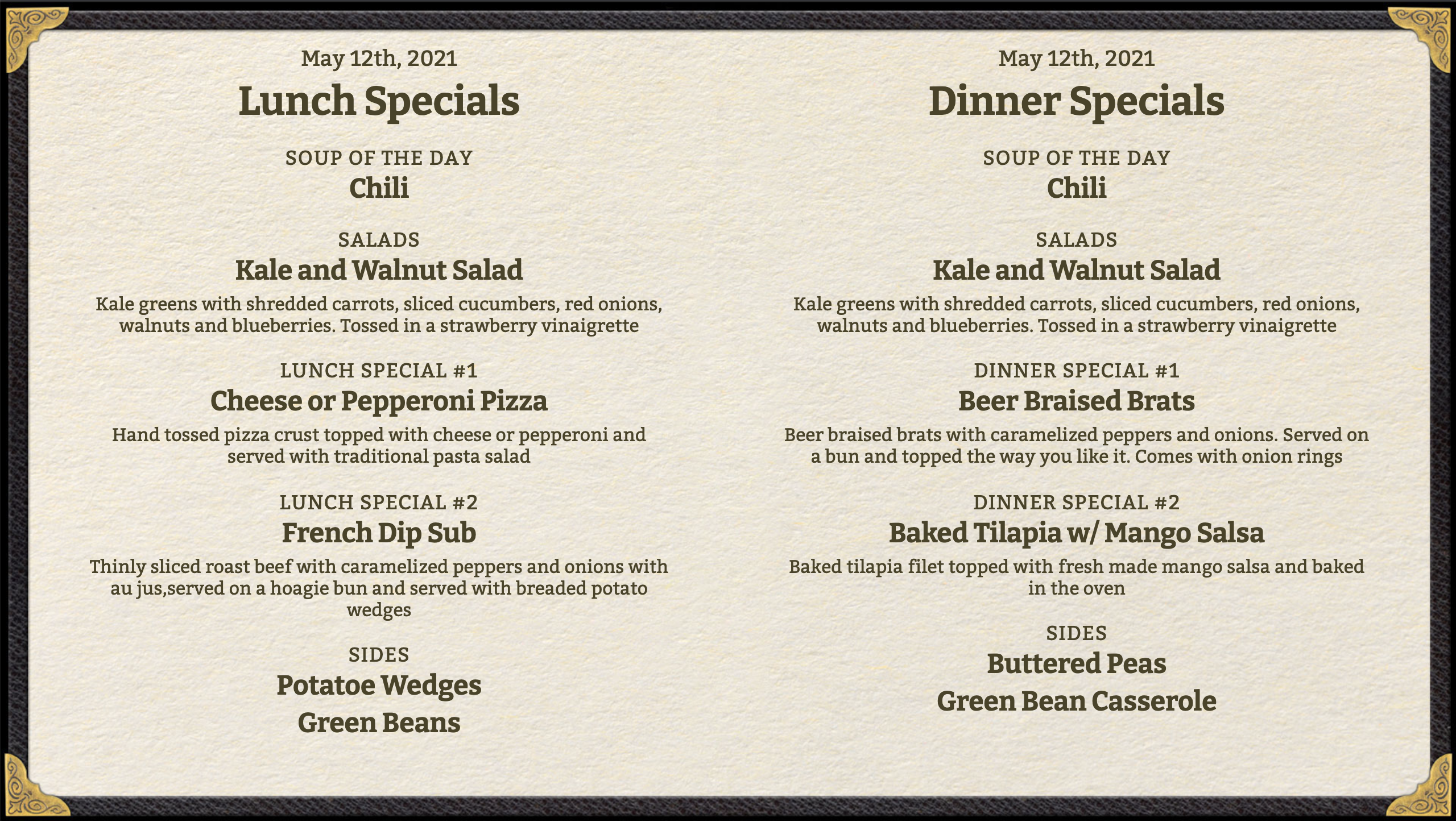
To enable Lunch on the left, Dinner on the right go to Web App > TV Options > Meals Display > Use Categories
Dining Menu Book (List of Meal Items)
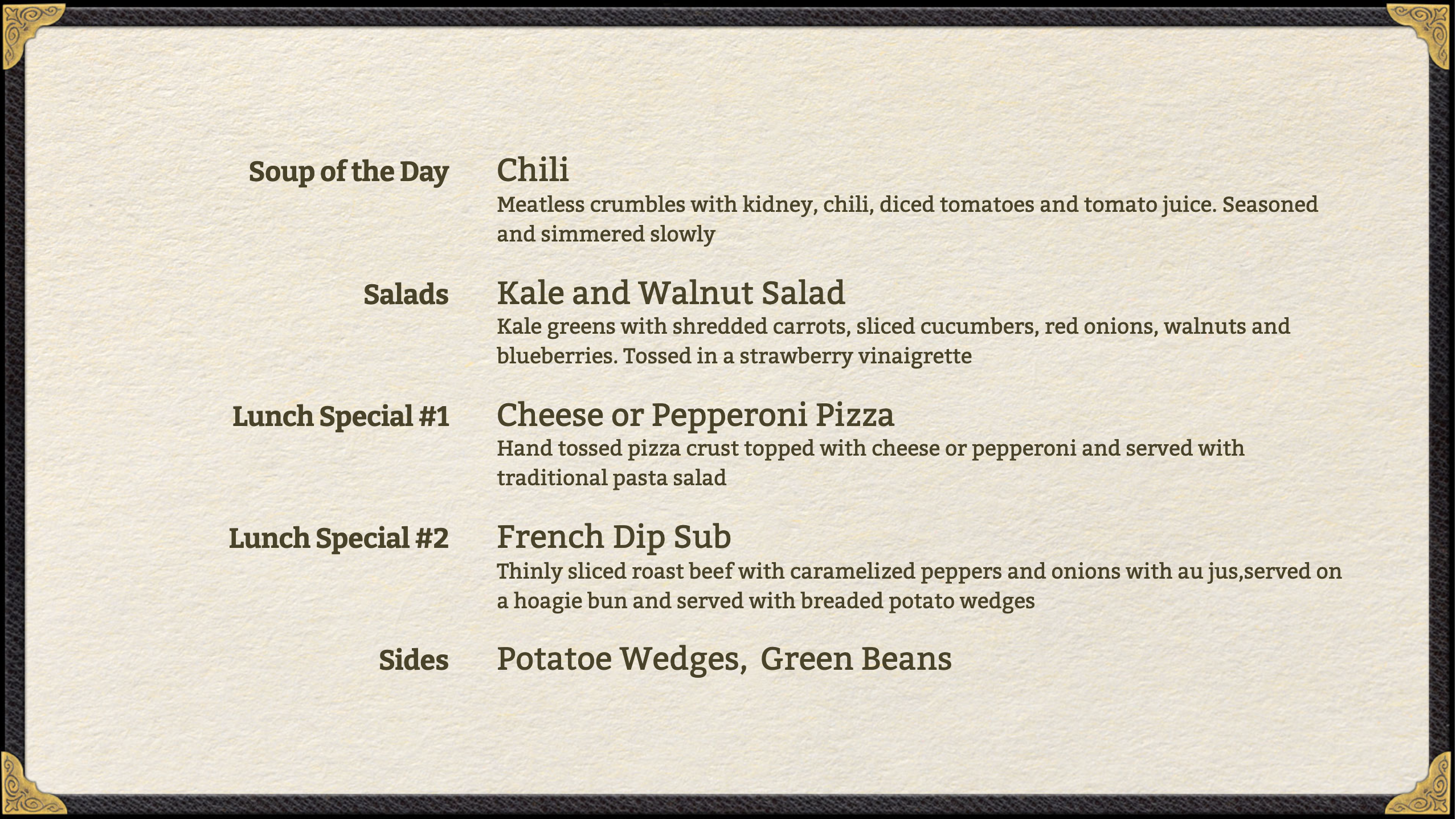
To show a list of meals items for one meal, go to Web App > TV Options > Meals Display > Use Categories. Note: this is time-based and will show Lunch until 1pm, then Dinner afterward.